
Adding Infinite Scroll In Redux and React

I decided to make a forum where the homepage displayed many discussions. At first to load all the discussions was not time consuming but as I added more discussions the load time got longer. I needed some sort of way to load a couple discussions at a time instead of a many. I decided to challenge myself and create an infinite scroll.
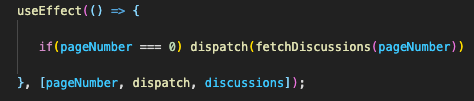
When the page loads initially I use the useEffect method to call an action. I am using redux so as you see below I am calling the fetchDiscussions method which is located in my redux set up. Anytime pageNumber, dispatch, or discussions is updated this useEffect will trigger.
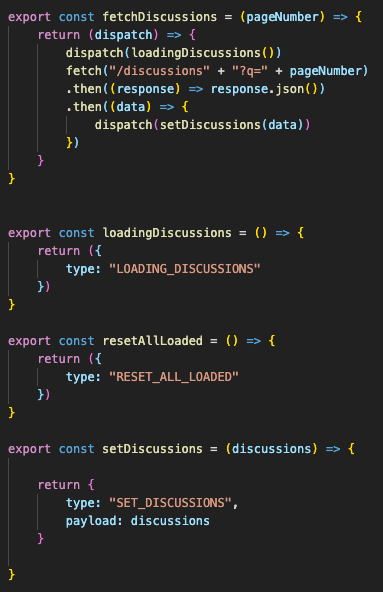
In my redux actions file I have a function that will fetch all the discussions located in the api. I also pass through a pageNumber to track a pageNumber as I scroll. I use the pageNumber to send to the back end as I make fetch requests.
As shown below I have actions for the loading, all loaded, and setting the discussions.
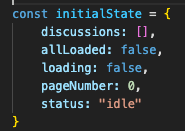
I set up my initialState in redux as you can see below. Discussions will hold all the discussions I fetch, allLoaded is initially set to false, loading is initially set to false, and the pageNumber is initially set to 0.
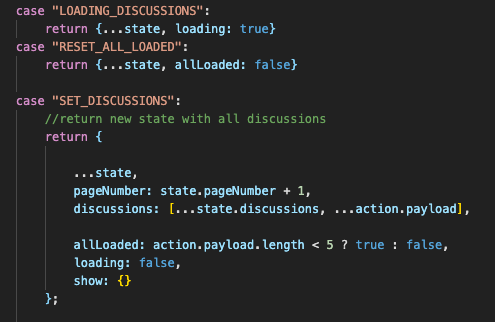
I have three reducers to return loading, allLoaded, and the discussions. In the loading reducer made a copy of state and set the loading to true and in the reset loading reducer I made a copy of state and the set allLoaded to false. In the discussions reducer I made a copy of state, added a pageNumber, updated the discussions, checked the length of allLoaded to set whether it was true or false, and set loading to false.
I used useEffect and useCallback from react. I used useSelector and useDispatch from react redux. I also imported my actions so that they can be called in the component fetching and showing the discussions. I created a loading icon/Loading.js file which I imported as well which will show on the page as more discussions are loaded.
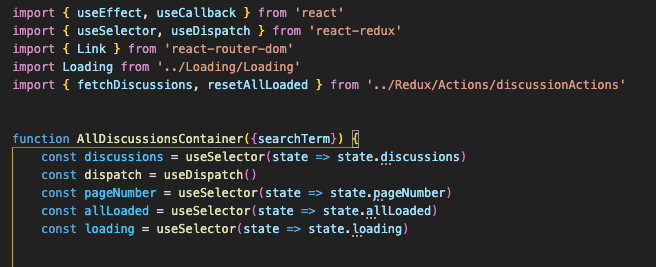
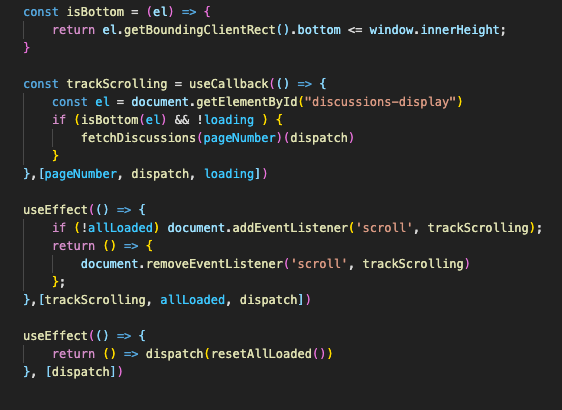
Below is where I have my component set up to handle the scrolling functionality on the react user interface. I checked when the page reached the bottom, tracked the scrolling of the page, and then updated resetAllLoaded action as needed.
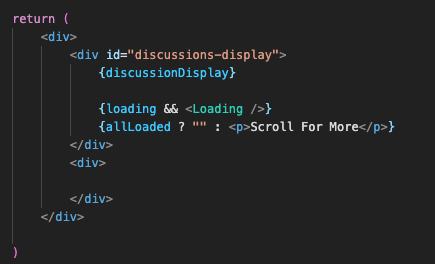
Below is what my jsx looked like. If loading equalled true it will show my loading component that I imported and then once allLoaded is true it will take away the text at the bottom that says “Scroll For More”.
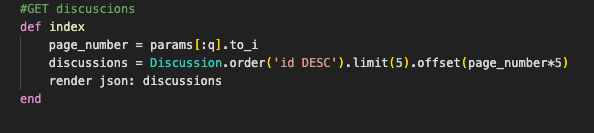
For my backend I used ruby on rails which is the api I fetched the discussions from for my front end. Using the pageNumber I send through on the front end allows me to off set the information to send from the backend so that I do not get any duplicates sent as I fetch for more discussions. In the below display I am sending five discussions at a time and then offsetting it by five each time. I am also putting the discussions in descending order so I get the latest discussions created sent to the front end first.
I hope that this helps and you can create an infinite scroller in your next project. Happy coding!